Benefit Section with Bento Grid
Visit Source of Grid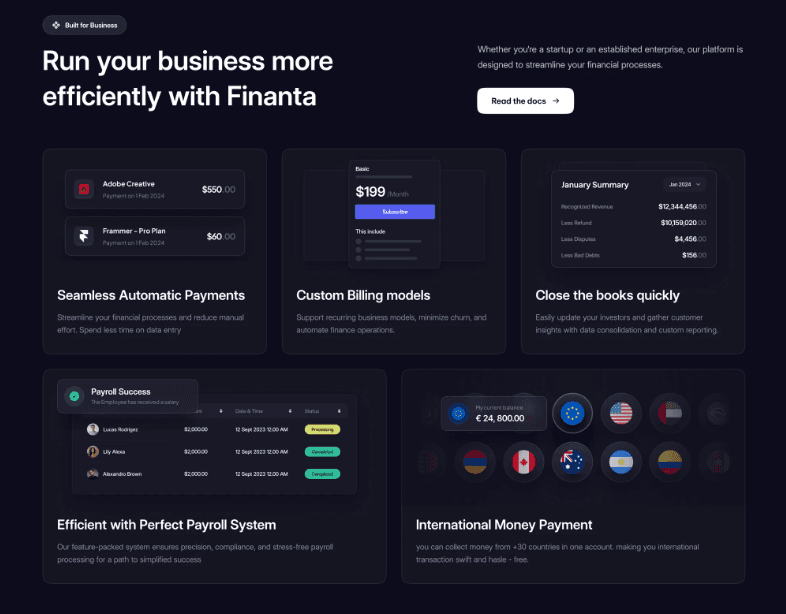
Tags
Dark ModeSimpleFinanceBusinessBenefitsPayment
Source Code
1
2
3
4
5
BenefitSection.jsx
1export default function BenefitSection() {
2  return (
3    <div className="grid grid-cols-1 lg:grid-cols-6 lg:grid-rows-4 gap-4 w-full p-4 lg:h-[600px]">
4        {/* Mobile: Stacked 1-column layout
5            Tablet (md): 2-column layout
6            Desktop (lg): 6-column, 4-row simple bento grid */}
7
8      {/* Box 1 */}
9      <div className="h-40 md:h-64 lg:h-auto lg:col-span-2 lg:row-span-2 bg-[#F1F5F9] rounded-md border border-gray-200 flex items-center justify-center">
10        1
11      </div>
12
13      {/* Box 2 */}
14      <div className="h-40 md:h-64 lg:h-auto lg:col-span-2 lg:row-span-2 lg:col-start-3 bg-[#F1F5F9] rounded-md border border-gray-200 flex items-center justify-center">
15        2
16      </div>
17
18      {/* Box 3 */}
19      <div className="h-40 md:h-64 lg:h-auto lg:col-span-2 lg:row-span-2 lg:col-start-5 bg-[#F1F5F9] rounded-md border border-gray-200 flex items-center justify-center">
20        3
21      </div>
22
23      {/* Box 4 */}
24      <div className="h-40 md:h-64 lg:h-auto lg:col-span-3 lg:row-span-2 lg:row-start-3 bg-[#F1F5F9] rounded-md border border-gray-200 flex items-center justify-center">
25        4
26      </div>
27
28      {/* Box 5 */}
29      <div className="h-40 md:h-64 lg:h-auto lg:col-span-3 lg:row-span-2 lg:col-start-4 lg:row-start-3 bg-[#F1F5F9] rounded-md border border-gray-200 flex items-center justify-center">
30        5
31      </div>
32    </div>
33  );
34};